
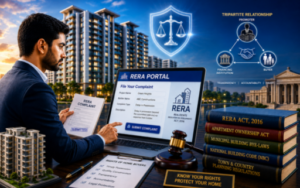
If you are wondering how to file a complaint under RERA for seeking timely relief for delays then this article is for you with step by step practical insights. Learn here how to file a complaint under RERA. Understand the correct procedure, essential for seeking timely relief against delays, defective construction, unfair trade practices, or other violations by promoters.
Table of Contents
Introduction
The Real Estate (Regulation and Development) Act, 2016 (RERA) was enacted to bring transparency, accountability, and efficiency to India’s real estate sector while protecting the interests of homebuyers. It provides a robust mechanism for resolving disputes between homebuyers, promoters, and other stakeholders.
Although the provisions of the RERA Act, being the Central Act, are uniform across India, its implementation is carried out by States and Union Territories through establishment of their own Regulatory Authorities. As a result, the complaint forms, procedures, fees, and online filing process may vary from one jurisdiction to another.
Why File a Complaint under RERA?
Robust Grievance Redressal Mechanism: A Key Right of Homebuyers
One of the key benefits of the RERA Act is its robust grievance redressal mechanism, which empowers the homebuyers and other aggrieved persons to seek quick relief against violations by promoters, and other stakeholders.
To learn more about the rights of homebuyers and protections available under the Act, read our detailed guide on the Benefits of the RERA Act.
Benefits of filing complaint under RERA
Filing a complaint under RERA Act is one of the most effective ways for homebuyers and investors to protect their hard earned savings and investment and hold promoters accountable for delays, violations, breach of contractual obligations and unfair trade practices. RERA Act offers a specialized, fast-track and cost-effective dispute resolution mechanism with prescribed procedures, nominal filing fees, provisions for interest and penalties, and a focus on expeditious disposal. Here is a step by step guide explaining how to file a complaint under RERA, with practical insights for the benefit of readers.
Common reasons to file a Complaint under RERA
Homebuyers and other aggrieved persons may file a complaint under RERA for various violations committed by the promoters. Some of the most common reasons include: Some of the common reasons include:
- Delays in project completion and possession of property
- Non-availability of completion and occupancy certificates
- Arbitrary demands for additional payments and non-compliance of terms of Agreement for Sale
- Claim for interest on possession
- Poor construction quality and structural defects
- Misleading advertisement inadequate disclosures
- Deviation from sanctioned layout plans, approved building plans and promised amenities
- Disputes relating to common areas and facilities, and undivided
- interest in common areas
- Claims for refund, interest or compensation.
- Refusal to refund money with interest on exit from project, applicable as per law.
Who Can File a Complaint under RERA?
The following persons are entitled to file a complaint under the RERA Act in the prescribed form, where they have a grievance arising under the Act:
- Homebuyers (allottees).
- Associations of allottees.
- Promoters of Real estate Projects.
- Real Estate Agents.
- Any aggrieved person entitled to file complaint under the RERA Act.
Which Projects are covered under RERA?
In general complaints under RERA relates to;
- The project must be registered under RERA Act
- Ongoing projects that are required to be registered under RERA Act where completion certificate has not been issued.
- Projects that are mandatorily required to be registered under Section 3 of the RERA Act but have not been registered.
- Non-registration itself may constitute a violation of the Section 3 of Act.
Important Preparations before Filing a Complaint
Before filing a complaint, download and carefully read the complaint filing instructions available on the concerned State RERA portal. Ensure that you have all the necessary documents and understand the prescribed procedure.
Gather Relevant Documents
Keep the following documents readily available:
- Allotment letter.
- Agreement for Sale Builder-Buyer Agreement (BBA) i.e. Form-Q
- Tripartite Agreement, if applicable.
- Payment receipts.
- Correspondence with the promoter.
- Representation or Legal Notice
- Project brochure, advertisement or promotional material.
- Any other evidence supporting default, violations/ deviations.
Attempt an Amicable Resolution
Before approaching RERA, it is advisable to
- Send a written representation followed by legal notice to the promoter.
- Preserve all communications like emails, letters, and speed post-delivery proofs to serve as evidence during the proceedings.
Identify the Appropriate State RERA Authority
Since RERA is a Central Act implemented by the States and Union Territories through their respective Rules and Real Estate Regulatory Authorities, the complaint forms, filing procedure, prescribed fees, and online portal may vary from one jurisdiction to another.
In geographically larger States with extensive real estate activity, more than one RERA office has been established with territorial jurisdiction over specified districts to improve accessibility and facilitate efficient administration.
Therefore, before deciding to file a complaint under RERA, verify the RERA office having territorial jurisdiction over the project and file your complaint before the appropriate Authority.
Choose the Right Forum and Complaint Form
Regulatory Authority or Adjudicating Officer
Before filing a complaint, determine whether your grievance falls within the jurisdiction of the Regulatory Authority or the Adjudicating Officer.
Complaints under Section 31 of the Real Estate (Regulation and Development) Act, 2016 are generally filed in the prescribed complaint form (Form M).
Claims seeking compensation under Sections 12, 14, 18, and 19 are ordinarily filed before the Adjudicating Officer in the prescribed compensation claim form (Form N).
As the prescribed forms and nomenclature may vary from one State or Union Territory to another, this step by step guide uses RERA Punjab as an illustrative example.
RERA Punjab (Illustrative Example)
In the State of Punjab following two forms are used for filing online complaints.
Form M: for complaint before the Regulatory Authority against the promoter.
Form N: for Compensation before Adjudicating Officer against Promoter.
Copies of Form M, Form N, and the Instruction Set for Complaint Registration can be downloaded from the official RERA Punjab website.
Understanding the RERA Complaint Form
Although the complaint filing process is online, the prescribed complaint form generally begins with an administrative section for use by the Regulatory Authority. These particulars are automatically populated on submission of form. On the final printout, the details appear as:
- Complaint Diary No: 12 Digit Compliant No
- Date of filing: Date on which complaint submitted
- RERA Number: Project Registration No allotted by RERA
- Name (Complaint Relates): Project Name
- Signature of Registrar or Secretary RERA
The complaint form for filing compliant under section 31 of the RERA Act further divided into following sections;
- Particulars of the complainant(s):
- Particulars of the respondents:
- Jurisdiction of the regulatory authority:
- Facts of the case:
- Relief(s) sought:
- Interim order, prayed for:
- Complainant not pending with any other court, etc.
- Particulars of bank draft in respect of the fee in terms of sub-rule (1) of rule 36
- List of enclosures and at last of the complaint form is standard clause of
The complaint concludes with verification by the complainant(s) affirming that paragraphs (1 to 9) are true to my personal knowledge and belief and that I have not suppressed any material fact(s). And at the end place, date and signature of the complainants.
Step 1: Register on the Official RERA Portal
To file a complaint online, the complainant must first register and create a user account on the web portal of the concerned State RERA.
- Click “File Complaint” under the “Complaint” tab and select “Create New Account“ with the user type as “Complainant”.
- Complete the registration form and click “Create User”.
- Verify and activate your account through the confirmation link sent to your registered email address.
Illustration: In RERA Punjab, registration can be completed through the “Create New Account” option available on the official RERA Punjab portal.
Step 2: Update Profile Page
After activating your account, log in to the portal and complete your “My Profile” section. This is a one-time activity, and the same profile can be used for filing multiple complaints.
The profile generally requires the following information:
- Name of the complainant.
- Father’s Name/ Husband’s Name
- Email ID.
- Mobile number.
- Landline number (if any).
Step 3: Fill the Complaint Form
Log in to the RERA portal and select the appropriate complaint form (generally Form M or Form N, as applicable). Most personal details of the complainant are automatically populated from the “My Profile” section and may be edited, if required.
The complaint form generally consists of the following sections:
Particulars of the Complainant
Verify the pre-filled details of the complainant, including name, contact details, Aadhaar number (where applicable), residential address, and address for service of notices. If there is more than one complainant, additional complainants may be added using the “Add” option. After completing details click Add to List and then Save Complainants.
If the complaint is filed through an authorised representative or advocate, provide the required particulars of the authorised representative.
Fill in the required information in the selected form. Tooltips in each field of the form have been provided for the user’s assistance.
Particulars of the Project and Respondent
Select whether the complaint relates to a registered or unregistered project. Enter the RERA registration number (where applicable), project name, and select whether the complaint is against a promoter, real estate agent, or allottee.
The RERA registration number can usually be verified from the list of registered projects and agents available on the State RERA portal or from the promoter’s brochure, advertisement, or official website and cross checked for accuracy.
Thereafter, provide the particulars of the respondent(s). Where there is more than one respondent, additional respondents may be added using the “Add” option.
After completing details of the next respondent, click Add to List and then Save Complainants.
Fill in the required information in the selected form. Tooltips in each field of the form have been provided for the user’s assistance.
Identifying the Correct Respondents
The respondents in a RERA complaint may vary depending on the legal status of the promoter. Common categories include:
- Individuals.
- Proprietorship Firm.
- Partnership Firm.
- Private Limited Company.
- Public Limited Company.
Accordingly:
- Proprietorship Firm: Implead both the proprietorship firm and its proprietor as respondents.
- Partnership Firm: Implead the partnership firm as well as all its partners, since the partners are generally jointly and severally liable.
- Private Limited Company / Public Limited Company: Implead the company along with its key directors or authorised signatories, as disclosed on the RERA portal or other official records.
Where the property has been financed by a Scheduled Commercial Bank (SCB) or Housing Finance Company (HFC) under a Tripartite Agreement, consider impleading the lender as a proforma respondent, particularly where the relief sought may affect its rights or obligations. Start with name of the Bank like SBI, PNB, HDFC followed by designation of authorised official.
💡 Practical Tip: Before filing the complaint, verify the legal status of the promoter and the names of the authorised persons from the RERA portal, the Agreement for Sale, and from the records of the Ministry of Corporate Affairs (MCA), wherever applicable. If unsure about the proper parties to be impleaded, seek appropriate legal or professional advice.
Jurisdiction of the Regulatory Authority
Confirm by clicking the check box to declare that “the subject matter of the claim falls within the jurisdiction of the Regulatory Authority.”
Step 4: Draft the Facts and Relief Sought
Facts of the Case
Clearly and chronologically state the facts of the complaint, covering:
- Particulars of the respondent (developer/promoter).
- Project details.
- Material facts giving rise to the grievance.
The RERA Punjab portal provides two options for submitting the facts:
- Text: Type the facts directly in the text box (maximum 6,000 characters).
- PDF Upload: Upload a PDF containing the detailed facts of the case.
- The PDF must be in PDF format and should not exceed 1 MB.
- It is advisable to prepare the document in a Word processor and convert it into an A4-size PDF before uploading.
💡 Practical Tip: Draft the facts in chronological order and support every material assertion with documentary evidence. Avoid emotional language or unsubstantiated allegations. A clear, fact-based complaint supported by relevant documents is generally more effective than a lengthy narrative. So devise the prayer templates concisely.
Relief(s) Sought
Clearly specify the relief(s) claimed, the grounds on which they are sought, and the relevant provisions of the RERA Act or the Agreement for Sale, wherever applicable.
The relief section accepts text only and is limited to 2,000 characters. Therefore, draft the reliefs carefully and concisely.
If monetary relief is claimed, additional particulars such as the following may also be required:
- Date of possession as per the Agreement for Sale/Allotment Letter.
- Actual date of possession (if delivered).
- Date of Allotment Letter.
- Date of the Agreement for Sale.
- Total sale consideration.
- Total amount paid.
- Flat/Apartment/Plot number and project details.
💡 Practical Tip: Be specific while seeking relief. Clearly state whether you are seeking possession, refund, interest, compensation, rectification of defects, or any other direction. Avoid vague prayers such as “take appropriate action.”
Interim Relief Prayed
If any interim relief is required pending disposal of the complaint, specify the nature of the interim relief sought, supported by brief reasons.
This field accepts text only and is generally restricted to 2,000 characters.
💡 Practical Tip: If the RERA portal does not save content copied directly from Microsoft Word, first paste it into Notepad to remove hidden formatting, then copy it from Notepad and paste it into the relevant text fields.
Declaration
Finally, submit the prescribed declaration confirming that the subject matter of the complaint is not pending before, or has not already been decided by, any competent court or authority, and complete the verification as required in the complaint form.
Step 5: Pay the Prescribed Fee
After completing the complaint form, pay the prescribed complaint registration fee through the online payment facility available on the RERA portal using Debit Card, Credit Card, Net Banking, or any other mode of payment supported by the portal.
On successful payment, the portal generates and displays the payment details, including the fee amount, transaction status, transaction ID, payment reference number, and transaction date. It is advisable to save or download the payment receipt for future reference.
💡 Practical Tip: Occasionally, after making the payment through a Debit Card, Credit Card, or other online payment mode, the payment gateway details may not be updated immediately on the portal. As a result, you may be unable to submit or transmit the complaint form. In such cases, verify whether the payment details have been updated. If the issue persists, contact the Helpdesk of the concerned State RERA and retain the payment receipt or transaction reference for follow-up.
Step 6: Upload Supporting Documents
Upload clear and legible scanned copies of all documents relied upon in support of your complaint. For convenience, the documents may broadly be grouped into the following categories:
Basic Transaction Documents
These documents establish the contractual relationship between the parties and the particulars of the property:
- Allotment Letter.
- Agreement for Sale/Builder-Buyer Agreement (BBA).
- Tripartite Agreement (where the purchase is bank financed).
- Receipts or proof of payments made.
- Project brochures, advertisements, or other promotional material issued by the promoter.
Documents Supporting the Default or Violation
These documents substantiate the grievance and the relief claimed:
- Correspondence with the promoter, including emails and letters.
- Representation, Demand Notice, or Legal Notice, if any.
- Photographs, inspection reports, or other evidence of defects or incomplete work.
- Copies of approvals, sanctioned plans, Occupancy/Completion Certificates, or other official records, wherever relevant.
- Any other document establishing the alleged default, contractual breach, statutory violation, or deviation from the sanctioned plans or promised amenities.
💡 Practical Tip: While filing a complaint with RERA Punjab, supporting documents are generally required to be uploaded in PDF format. As a practical guideline, each uploaded file should ordinarily be within 2–5 MB, and the combined size of all attachments should ideally not exceed 20 MB. Before uploading, scan documents follow tooltips.
If any original document is old, faded, damaged, handwritten, or otherwise difficult to read, it is advisable to upload a clear typed copy along with the scanned original for ease of reference. The typed copy should be a true and complete reproduction of the original document and should not alter, omit, or add anything to its contents.
Step 7: Verification and Submit the Complaint
Verification
Before submitting the complaint, complete the verification by entering the required particulars in the verification clause provided in the complaint form. Carefully review all the information entered, tick the prescribed declaration(s), and click “Save and Submit” to complete the online filing process.
Please Note
- On successful submission, the portal generates a Complaint Reference Number. Note down or download this reference number, as it will be required for all future correspondence and tracking of the complaint.
- Under the existing procedure followed by RERA Punjab and other State Regularity Authorities, the complainant is also required to submit a hard copy of the complaint, together with all documents uploaded online duly numbered and signed/ initialed, along with additional sets corresponding to the number of respondents.
💡 Practical Tip: Before clicking “Save and Submit”, carefully review the entire complaint, supporting documents, and reliefs sought. Once the complaint is submitted, making corrections or uploading additional documents may require the permission of the Authority and follow “Procedure for Corrections.”
Conclusion
The process to file a complaint under RERA is a structured legal process that empowers homebuyers to seek timely and effective redressal against violations by promoters, or other stakeholders. Careful preparation, proper documentation, and filing before the appropriate authority can significantly improve the chances of obtaining meaningful relief.
Frequently Asked Questions (FAQ)
How to file a Complaint under RERA, here are few FAQ answers.
Is a lawyer mandatory for filing a RERA complaint?
No. As permitted under section 56 of the RERA Act, a homebuyer can file and pursue a complaint in person. However, legal assistance may be helpful in complex cases.
Can I file a complaint under RERA online?
Yes. Mostly State RERA Authorities provide an online complaint filing facility. The procedure, forms, and fees may vary from State to State.
How long does it take for RERA to decide a complaint?
The RERA Act provides disposal of complaints, as far as possible, within 60 days. However, the actual time may vary depending on the facts of the case and the workload of the Authority.
Disclaimer
This article is intended for general educational and informational purposes only and does not constitute legal advice. Since RERA Rules, prescribed forms, fees, and procedures vary across States and Union Territories and may change over time, users should verify the latest requirements on the official portal of the concerned State RERA or seek professional legal advice where necessary and follow tooltips while filling forms.
Call to action
Have questions about filing a complaint under RERA or faced a similar issue with your builder? Share your experience in the comments. If you found this guide helpful, consider sharing it with other homebuyers and explore our other articles on RERA. Suggestions from esteemed readers are welcome.
Thank you for such a detailed, step-by-step guide! Filing a complaint for the first time comes with so many questions. Without an amazing resource like this, it would take days or months to figure out the process. This truly covers everything one needs to know.
Thank you so much for your encouragement and lovely comments.
Useful article for Homebuyers.
Thanks a lot.